Tenants
Tenant verification in India: what to check before handing over keys
A practical checklist for identity, income and references, how police verification works, and how to handle Aadhaar responsibly.
· 3 min read
PG & co-living
Set up each PG as floors, rooms and beds, see what is vacant at a glance, and bill every resident correctly each month.
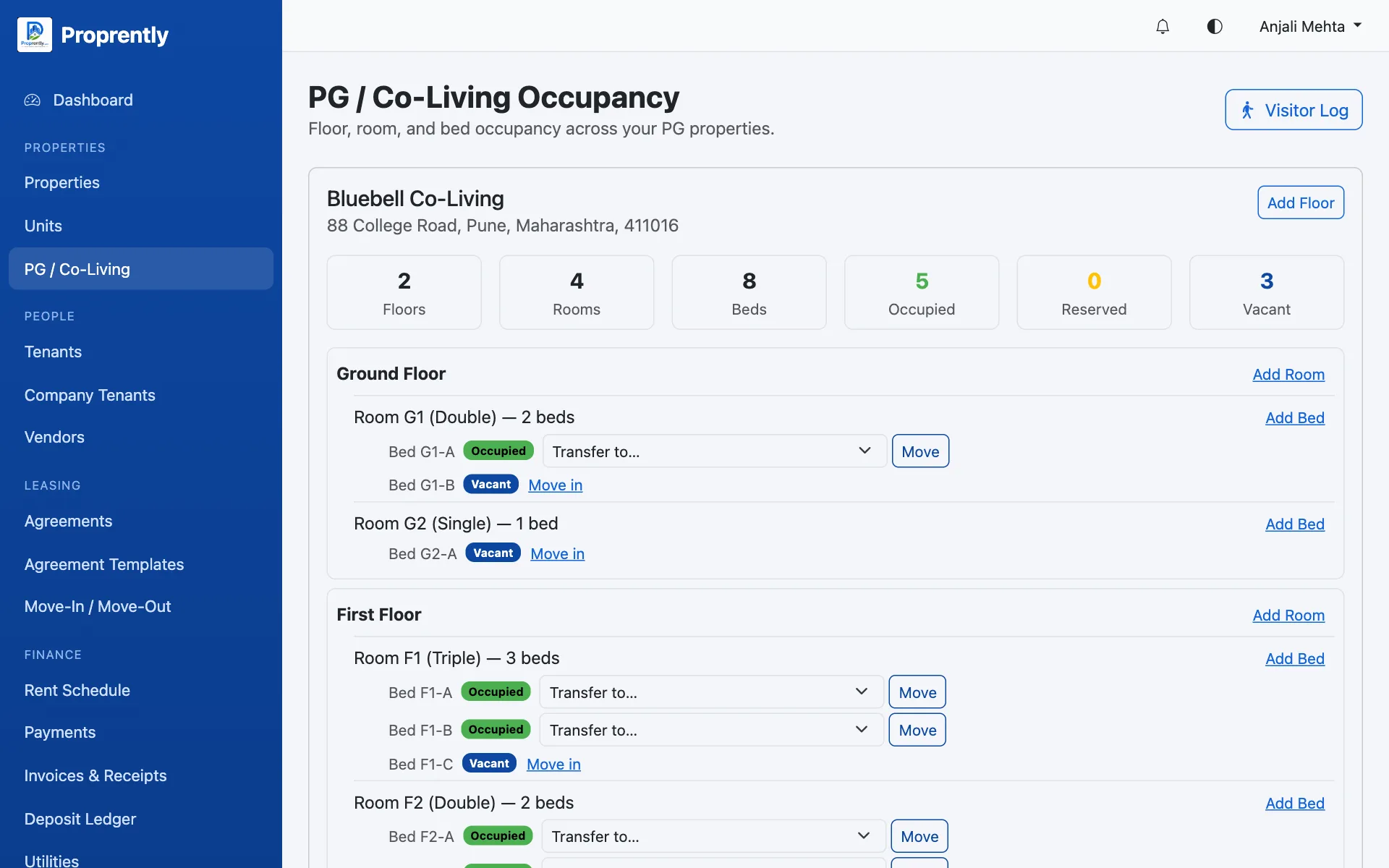
Screen shows sample data.
Rooms can be single, double, triple or dormitory, and every bed carries its own rent and deposit.
Add food, laundry or internet charges to a resident, monthly or one time. They are added to the next rent entry.
Keep the register and paperwork in the same place as the rent.
Yes. Add each building as a PG property. The number of properties and units you can add depends on your plan.
Yes. A resident you invite gets a portal login showing their rent, payments, invoices, agreement and maintenance requests.
Yes. Transfer the tenancy to any free bed and both beds update automatically.
Tenants
A practical checklist for identity, income and references, how police verification works, and how to handle Aadhaar responsibly.
· 3 min read
PG & co-living
The records every paying guest operator needs, from bed-level occupancy to food charges, visitor logs and a monthly closing routine.
· 2 min read
Start a 14-day free trial. No card required.