Agreements
Rental agreement checklist for India: what to settle before signing
The clauses landlords and tenants should agree in writing, why so many agreements run for 11 months, and where registration rules differ.
· 3 min read
Rental agreements
Draft from your own templates, share with the tenant, record what happened and keep the signed copy next to the tenancy it belongs to.
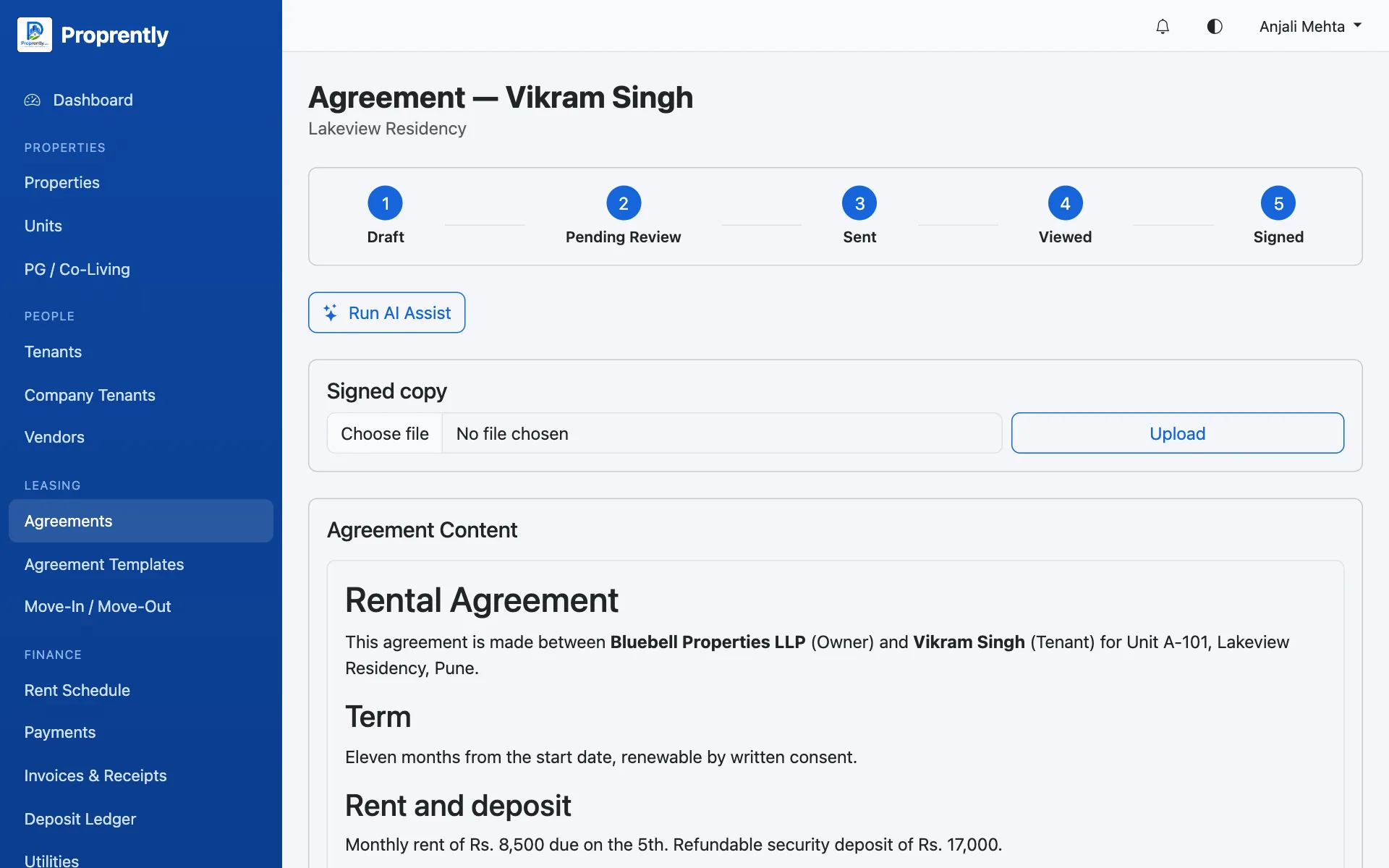
Screen shows sample data.
Write templates for residential, commercial and PG lettings and fill in names, property and dates automatically.
Share the agreement in the tenant portal and by email. Sign it on paper or through the service you prefer, then mark it signed and upload the signed copy.
Record agreement expiry and other compliance items so they are visible before they lapse.
Treat them as starting points. Have your wording reviewed for your state and type of letting before you use it.
Not at present. Sign on paper or with a signing service, then upload the signed copy.
No. Stamp duty and registration are handled with the relevant authority.
Agreements
The clauses landlords and tenants should agree in writing, why so many agreements run for 11 months, and where registration rules differ.
· 3 min read
Deposits
How much the Model Tenancy Act suggests, why your state's law matters, and a record-keeping habit that prevents most deposit disputes.
· 3 min read
Start a 14-day free trial. No card required.